

Optimal Graphics Settings for Monster Hunter Wilds Revealed
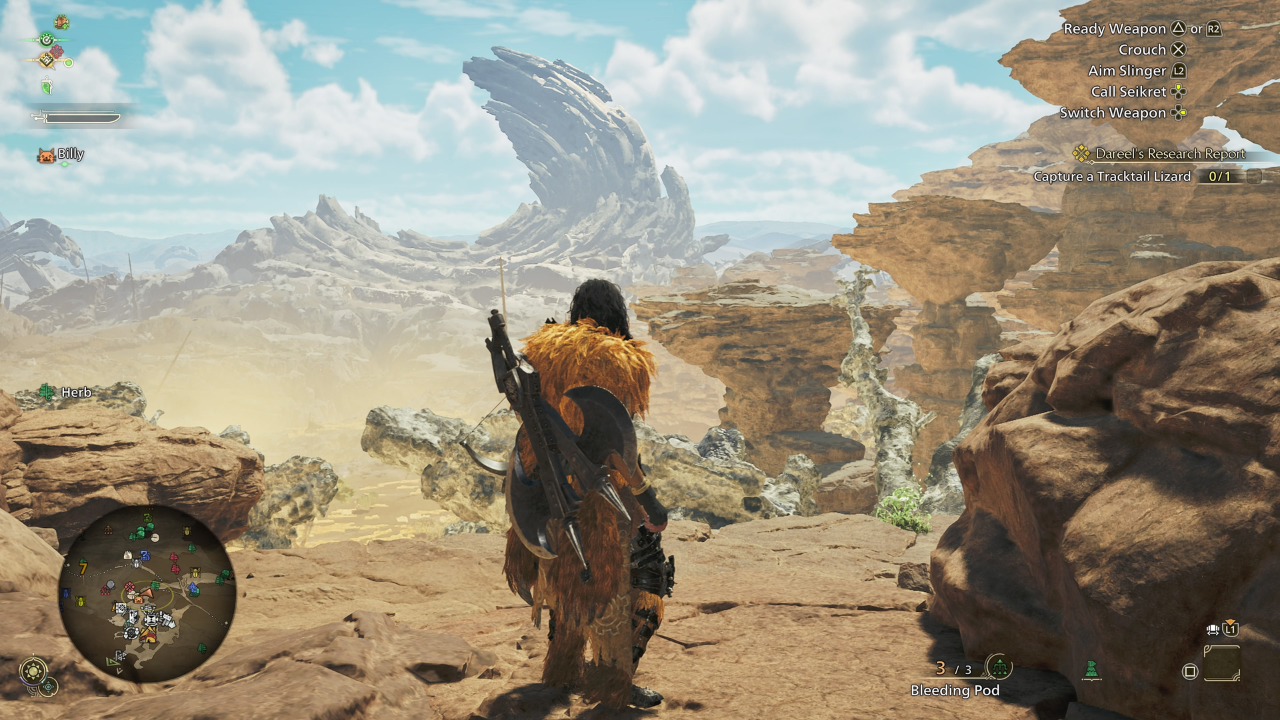
*Monster Hunter Wilds* is a visually stunning game, but achieving the best performance while maintaining high-quality visuals can be a challenge. Here are the best graphics settings to optimize your experience in *Monster Hunter Wilds*.
Monster Hunter Wilds System Requirements
If you're aiming for higher resolutions or max settings, you'll need a high-end GPU with more VRAM and a powerful CPU. Check out where you can order *Monster Hunter Wilds* for your desired platform.
| Minimum Requirements | Recommended Requirements |
| OS: Windows 10 or newer CPU: Intel Core i5-10600 / AMD Ryzen 5 3600 Memory: 16GB RAM GPU: NVIDIA GTX 1660 Super / AMD Radeon RX 5600 XT (6GB VRAM) DirectX: Version 12 Storage: 140GB SSD required Performance Expectation: 30 FPS @ 1080p (upscaled from 720p) | OS: Windows 10 or newer CPU: Intel Core i5-11600K / AMD Ryzen 5 3600X Memory: 16GB RAM GPU: NVIDIA RTX 2070 Super / AMD RX 6700XT (8-12GB VRAM) DirectX: Version 12 Storage: 140GB SSD required Performance Expectation: 60 FPS @ 1080p (Frame Generation enabled) |
Monster Hunter Wilds Best Graphics Settings
Whether you have a high-end RTX 4090 or a budget RX 5700XT build, optimizing the graphics settings in *Monster Hunter Wilds* is crucial. You can achieve significant performance gains without sacrificing much visual quality. In modern games, the difference between Ultra and High settings is often minimal visually, but the performance impact can be substantial.
Display Settings
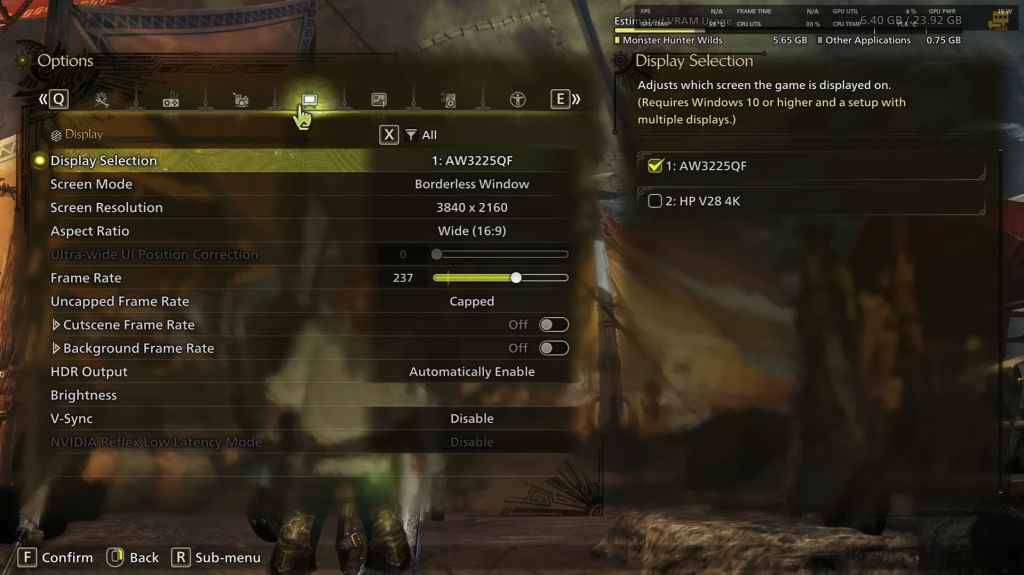
- Screen Mode: Personal Preference, Bordered Fullscreen works better if you tab out frequently.
- Resolution: Monitor's Native Resolution
- Frame Rate: Match your Monitor's Refresh Rate (e.g., 144, 240, etc.)
- V-Sync: Off for lower input lag.
Graphics Settings
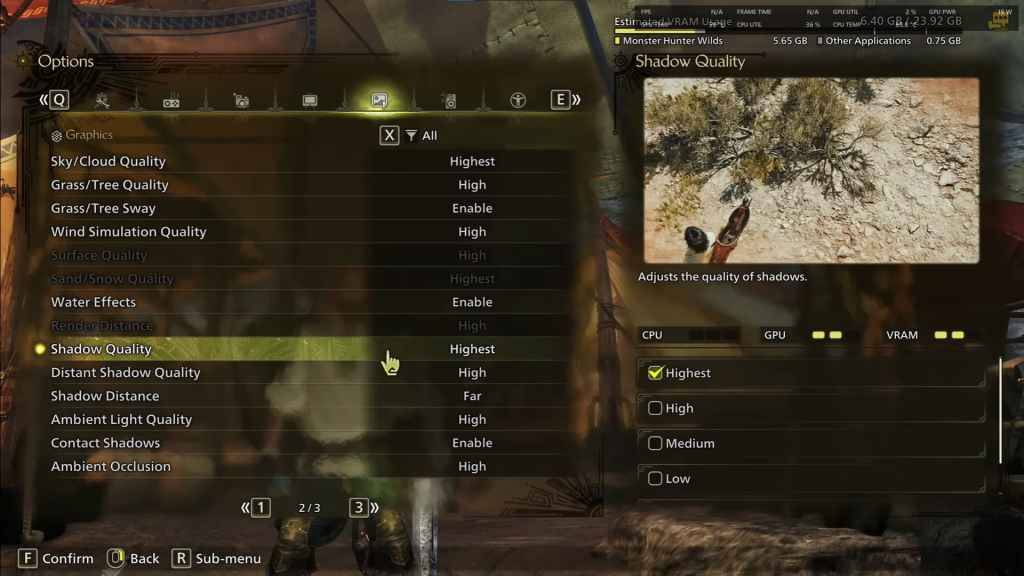
| Setting | Recommended | Description |
| Sky/Cloud Quality | Highest | Enhances atmospheric detail |
| Grass/Tree Quality | High | Affects vegetation detail |
| Grass/Tree Sway | Enabled | Adds realism but has a minor performance impact |
| Wind Simulation Quality | High | Improves environmental effects |
| Surface Quality | High | Details on the ground and objects |
| Sand/Snow Quality | Highest | For detailed terrain textures |
| Water Effects | Enabled | Adds reflections and realism |
| Render Distance | High | Determines how far objects are rendered |
| Shadow Quality | Highest | Improves lighting but is demanding |
| Distant Shadow Quality | High | Enhances shadow detail at a distance |
| Shadow Distance | Far | Controls how far shadows extend |
| Ambient Light Quality | High | Enhances shadow detail at a distance |
| Contact Shadows | Enabled | Enhances small object shadowing |
| Ambient Occlusion | High | Improves depth in shadows |
These settings prioritize visual fidelity over raw FPS, as *Monster Hunter Wilds* is not a competitive game. However, every PC build is different, so feel free to tweak these settings if you're still experiencing low frame rates.
The first adjustments you can make are to turn down Shadows and Ambient Occlusion, as they are the most resource-intensive. Additionally, reducing distant shadows and shadow distance can significantly boost FPS. You can also lower Water Effects and Sand/Snow Quality to reduce VRAM usage.
Best Settings for Different Builds
Not everyone has a high-end build capable of running games at 4K. Here are the best settings tailored to different tiers of PC builds:
Note: Settings not mentioned below should be left at their default values.
Mid-Range Build (GTX 1660 Super / RX 5600 XT)
- Resolution: 1080p
- Upscaling: AMD FSR 3.1 Balanced
- Frame Gen: Off
- Textures: Low
- Render Distance: Medium
- Shadow Quality: Medium
- Distant Shadow Quality: Low
- Grass/Tree Quality: Medium
- Wind Simulation: Low
- Ambient Occlusion: Medium
- Motion Blur: Off
- V-Sync: Off
- Expected Performance: ~40-50 FPS at 1080p
Recommended Build (RTX 2070 Super / RX 6700XT)
- Resolution: 1080p
- Upscaling: FSR 3.1 Balanced
- Frame Gen: Enabled
- Textures: Medium
- Render Distance: Medium
- Shadow Quality: High
- Distant Shadow Quality: Low
- Grass/Tree Quality: High
- Wind Simulation: High
- Ambient Occlusion: Medium
- Motion Blur: Off
- V-Sync: Off
- Expected Performance: ~60 FPS at 1080p
High-End Build (RTX 4080 / RX 7900 XTX)
- Resolution: 4K
- Upscaling: DLSS 3.7 Performance (NVIDIA) / FSR 3.1 (AMD)
- Frame Gen: Enabled
- Textures: High
- Render Distance: Highest
- Shadow Quality: High
- Distant Shadow Quality: High
- Grass/Tree Quality: High
- Wind Simulation: High
- Ambient Occlusion: High
- Motion Blur: Off
- V-Sync: Off
- Expected Performance: ~90-120 FPS at 4K (upscaled)
*Monster Hunter Wilds* offers numerous graphical options, but not all impact gameplay equally. If you're struggling with performance, reducing shadows, ambient occlusion, and render distance can help. Budget users should utilize FSR 3 upscaling to boost FPS, while high-end builds can handle 4K settings with frame generation.
For the best balance, use a mix of medium to high settings, enable upscaling, and adjust shadows and distance settings based on your hardware.
And those are the best graphics settings for *Monster Hunter Wilds*.
*Monster Hunter Wilds is available now on PlayStation, Xbox, and PC.*
-
 Lazy JumpGet ready for chaos in Lazy Jump as you guide a floppy ragdoll through 300+ physics-based puzzle levels. Your character moves like a wet noodle, so quick thinking and a solid grasp of inertia are key to overcoming challenges—from scoring goals to an
 -
 Lunch with Ronan modIndulge in a provocative and intimate adventure with Lunch with Ronan, a sensual standalone spin-off from Notes of Hearts. This captivating visual novel places you in the role of Ronan's workplace colleague, uncovering a realm of passion, intimacy,
 -
 TRUE FITNESS SingaporeReady to begin your fitness journey? The True Fitness Singapore app is your perfect starting point! With convenient locations islandwide, premium facilities, and diverse class options like Yoga, Dance, and Cycling, True Fitness offers everything req
 -
 Barri Money TransferMeet the Barri Money Transfer app – your quick and effortless solution for sending funds to loved ones. Send money anytime, anywhere with just a few taps, eliminating delays and inconvenience. Monitor real-time transaction updates to know precisely w
 -
Cat Maid Gathering!Step into a whimsical universe brimming with charming cat maids in Cat Maid Gathering! This delightful touch-based game delivers effortless and intuitive gameplay, free from convoluted mechanics. Engage with a delightful cast of feline maids while e
-
 Khmer eRadio+Explore a world of entertainment with the Khmer eRadio+ app! This exceptional app brings together diverse media in a single platform. Listen to your favorite radio stations, stay updated with the latest news, and stream popular TV shows—right at you




