

Path of Exile 2: How to Get Loot Filters on Console
Quick Links
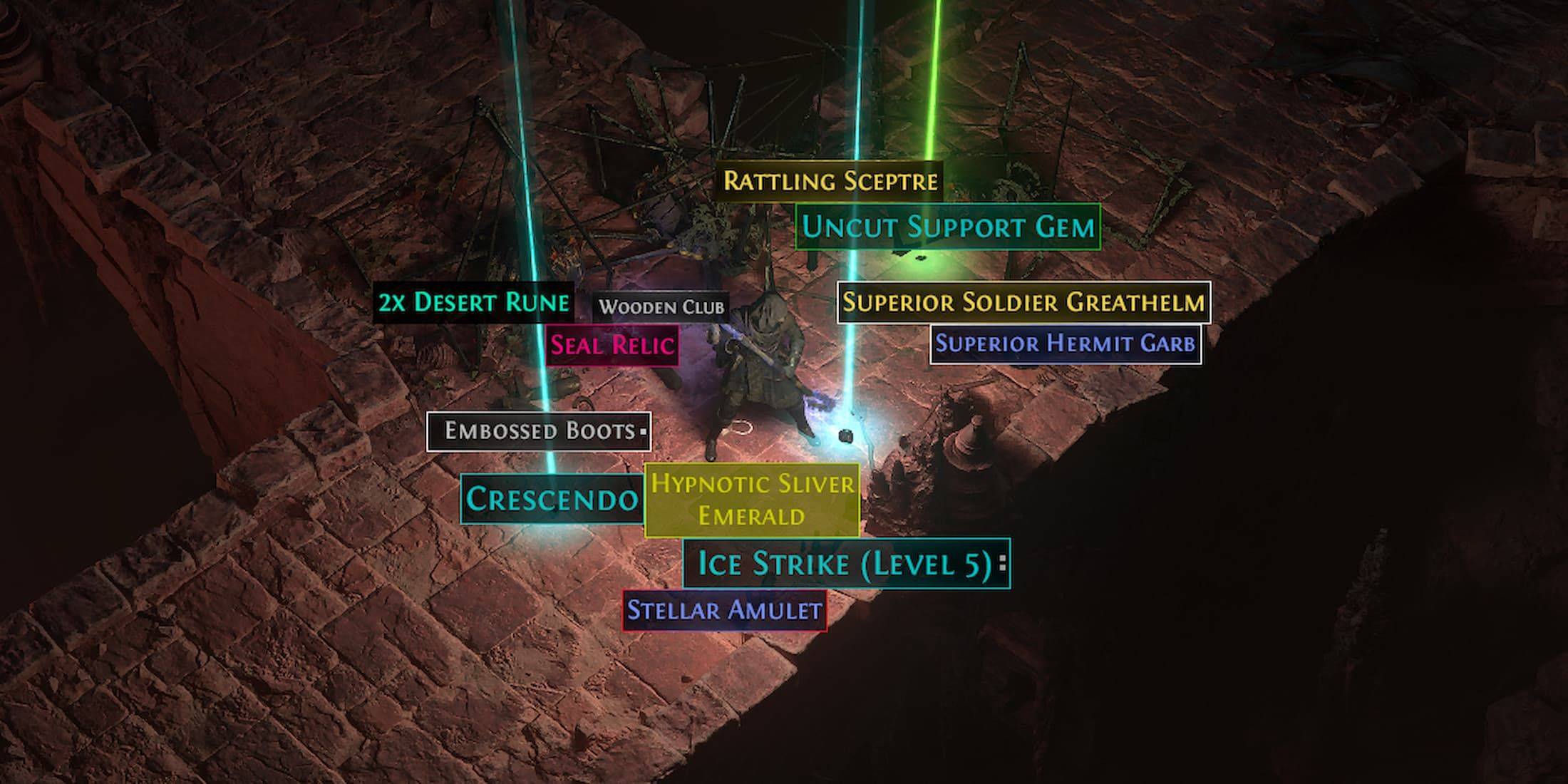
Loot filters are invaluable in Path of Exile 2, especially as the game progresses and items start dropping by the dozens. They streamline your looting experience by reducing screen clutter and highlighting the most crucial items, making your gameplay smoother and more efficient.
Although manually sorting and picking up items on a console or with a controller can be tedious, players on PlayStation and Xbox can utilize item filters just as effectively as PC players. However, setting up filters on consoles can be a bit confusing. Here's a simple guide to help you get started.
How to Link Path of Exile 2 and Console Accounts
To use loot filters on the console versions of Path of Exile 2, you'll need to link your console accounts to your Path of Exile account. This can be done via the Path of Exile 1 website. Follow these steps:
- Log in to the Path of Exile website.
- Click on your account name in the upper-left corner of the webpage.
- Select "Manage Account" on the right side, just below your profile name and avatar.
- Under "Secondary Login," click the Connect button for either Sony (PS) or Microsoft (Xbox).
After clicking the Connect button for your chosen console, you'll be prompted to log in with your existing PlayStation or Xbox account. Follow the on-screen instructions to complete the linking process.
Finding and Using Loot Filters
Once your accounts are linked, return to your profile page on the website and click on the "Item Filters" button on the right side. Then, click on the "Item Filter Ladder" hyperlink, which will open a new tab with a list of the best loot filters for Path of Exile 2.
At the top of the list, you'll see a drop-down box—select "PoE 2" from this menu. Choose the filter you wish to use and click the "Follow" button on the filter's page. For new players, we recommend starting with NeverSink's semi-strict or regular filters for a more streamlined experience.

Once you've followed a filter on the website, open Path of Exile 2 and navigate to the Options menu. Go to the Game tab, and at the top, you'll find the "Item Filter" option. The filter you followed should appear in the drop-down menu. Select it and click Save. Now, items that drop in the game will be labeled, colored, or even accompanied by sound effects based on the filter you've chosen.
-
 Lunch with Ronan modIndulge in a provocative and intimate adventure with Lunch with Ronan, a sensual standalone spin-off from Notes of Hearts. This captivating visual novel places you in the role of Ronan's workplace colleague, uncovering a realm of passion, intimacy,
 -
 TRUE FITNESS SingaporeReady to begin your fitness journey? The True Fitness Singapore app is your perfect starting point! With convenient locations islandwide, premium facilities, and diverse class options like Yoga, Dance, and Cycling, True Fitness offers everything req
 -
 Barri Money TransferMeet the Barri Money Transfer app – your quick and effortless solution for sending funds to loved ones. Send money anytime, anywhere with just a few taps, eliminating delays and inconvenience. Monitor real-time transaction updates to know precisely w
 -
Cat Maid Gathering!Step into a whimsical universe brimming with charming cat maids in Cat Maid Gathering! This delightful touch-based game delivers effortless and intuitive gameplay, free from convoluted mechanics. Engage with a delightful cast of feline maids while e
-
 Khmer eRadio+Explore a world of entertainment with the Khmer eRadio+ app! This exceptional app brings together diverse media in a single platform. Listen to your favorite radio stations, stay updated with the latest news, and stream popular TV shows—right at you
 -
 Eucerin® put lepoteDiscover the "Path of Beauty," Eucerin's debut digital loyalty program designed for skincare enthusiasts. Eucerin introduces its first fully digital loyalty initiative, "Beauty Path," revolutionizing how you redeem rewards. With every Eucerin pr




